I upgarded to 7.1.1042.0 and it still doesn’t work. Cant manage my startup programs
2 Likes
Same problem. I run CC7 as admin. I have restarted and re-installed. I have checked that the service is running, starts automatically, and have restarted it.
Nothing works, still won’t launch the startup manager.
Which, incidentally, is my favorite tool and one of the reasons I’ve used CCleaner all these years.
I’m a few days away from asking for a refund.
Same here. I recently installed C7 on a new Win11 PC, using what remains of my 2 yr activation passcode. The reinstall stopped working 2 days ago, presenting a corrupted welcome screen which will not scan. Tried repair, then reinstall, to no avail.
WDM 2025
There has been one change. Now it doesn’t even post an error message. It does nothing at all.
1 Like
Same issue here. I click on the StartUp Manager icon button and NOTHING happens. No redirect, no response, nothing.
2 Likes
Tried all of the fixes recommmended including a full reinstall but getting the same problem.
1 Like
i have the same situation. I just upgraded to version pro but startup manager does not work. instead with ccleaner 6 was very useful
i hope they will fix the problem or i will return to the free version of ccleaner 6
1 Like
Nothing happens no reaction from support ? Service CC7 is running, Folder deleted always the same reaction. In the first days ther was an reaction like “Upps”, now nothing happens if button is pushed.
7.1.1066.0 startup manager not doing anything on Win11
1 Like
Hi All,
We will soon be releasing the CCleaner 7.2 update that we hope will resolve this issue.
If you continue to experience the issue after updating to 7.2, please message me back so we can investigate this further.
Release 7.2 did not solve the Probleme. In startup-Manager => Button push butt nothing happens
Thank you for this update. Please, could you generate log files using the CCleaner support tool?
I have put a link below with instructions on how to do this, then send me the 4-digit file ID you are given at the end of the Support tool log generation process.
This will allow us to investigate further.
https://support.ccleaner.com/s/article/collecting-information-via-ccleaner-support-tool
@Laurence_CCleaner
Really?
It says quite clearly there:-
Collecting information via CCleaner Support Tool
The following article is relevant for CCleaner 6 only and does not apply to CCleaner7.
Is it relevant or not ??? Number is PP3ZF
I can confirm that in a registered ccleaner 7 support tool is there

Downloads the tool and takes meaningful logs and screenshots.
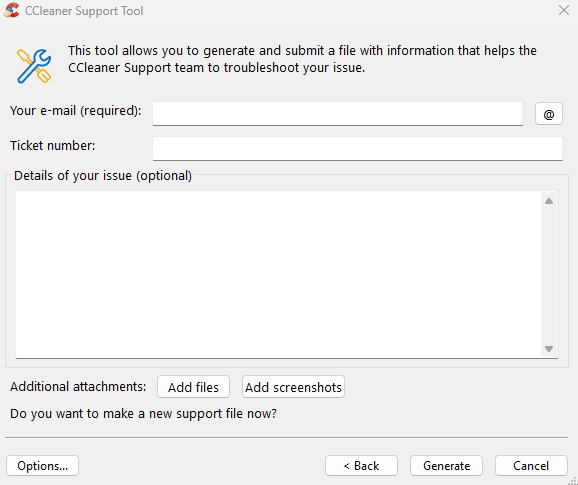
the menu item “options” is interesting including sending (or not) immediately to support.
The update didn’t solve it for me either on Windows 11. The fix is also not in the bugs list fixes of version 7.2…
Hi @dj14,
Thank you for these log files, I have passed them on to the team investigating this issue.
Hi @Yerun,
Please could you see the above post and generate log files and send me the 4 digit file ID so we can investigate this further.
3KH8G I run the support tool again, Ido not know what you want, you asked me to send it again!? You ask for 4 Digits, I only got the id, it is a part of the file name.
Bonjour Laurence
j’ai le même problème : Lorsque l’on clique sur le bouton “Gérer les applications” du gestionnaire de démarrage, il ne se passe rien, ça ne fonctionne pas. Pourtant le service Ccleaner7 est bien en cours d’exécution.