I have for long had CCleaner. Paid version. But now suddenly when I click the link to my CCleaner then NOTHING happens. Also if I let say want to empty my bin and right click and select CCleaner that used to work nothing happens. It is as if something locks the same. So, what can it be, and what can I do. Most thankful for answers.
Do you now have a new CCleaner 7 icon on your desktop?
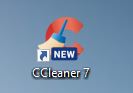
If so then your CCleaner has updated to the new v7 and removed your old v6 so there is nothing for your shortcuts to find.
If that is the case then either now use v7 or see this: How to Roll Back from v7 to v6.39
I have CCleaner Paid version. But now, for few days, I cannot start the same. It does not open when I click it. And that’s both in the case for the old version and the new 7 version as both are on my computer.
I suggest that you uninstall CCleaner 7 and then reinstall v6.39, see the link I gave above for how to do that.
Have removed all old versions, and installed 6.39. But it does not open.
That sounds like a different issue to just the CCleaner version then, so a few questions may help work out what the issue might be.
First things first though- I’d do a Restart (not a Shutdown) of your computer to see if CCleaner v6.39 will open after that.
Which version of Win 11 are you running, is it 24H2 or are you an early adopter of 25H2?
Is it only CCleaner that is affected, are any other apps not opening as normal?
Are you using any AntiVirus or other security apart from Windows Defender?
Restart do not help.
24H2
Norton 360, IObit Malware Fighter Free version,
Thanks,
The first thing I would say is that you should not be running 2 Antivirus programmes real time at the same time.
They WILL clash and interfere with one another if you do that.
If you run one AV and keep another just for scanning that’s OK, but you shouldn’t have both running at once.
(One exception to that is MalwareBytes which works in a different way to ‘regular’ AVs and can be run alongside them if you make a few exclusions in both MB and the AV)
TBH the built in Windows Security/Windows Defender is all you need nowadays, you don’t need a 3rd party AV so save your money.
Anyway back to your issue.
It’s probable that CCleaner is being blocked from starting by one or both of your AVs.
Personally I’d suspect the IObit, but I wouldn’t rule out the Norton either.
Temporarily disable them and try launching CCleaner with them off.
Or make CCleaner and it’s connections to AvastCDN etc. exceptions in them.
It often an AV/Firewall blocking the AvastCDN that prevents CCleaner working properly
PS. In case you are wondering Avast CDN is a Content Delivery Detwork.
Blocking it is a bit short sighted, like blocking Amazon Web Services. (But some AV devs don’t like the name Avast).