How do I contact someone? I’ve been charged twice! The email support is no longer monitored. The online contact us screen does not have a send button.
All I can now do is contact my bank and tell them it’s a fraudulent transaction!
How do I contact someone? I’ve been charged twice! The email support is no longer monitored. The online contact us screen does not have a send button.
All I can now do is contact my bank and tell them it’s a fraudulent transaction!
Perhaps this will help:
Piriform Customer Service Information
If you need to contact Piriform, which is now part of CCleaner, here are the essential details:
| CONTACT METHOD | DETAILS |
|---|---|
| Phone Number | 1-800-816-9004 |
| Email Address | support@ccleaner.com |
| Business Address | Piriform Inc, 590 Madison Avenue, 21st Floor, New York, NY 10022, United States |
| Average Wait Time | 30+ minutes, especially on Mondays |
| Common Issues Reported | Activation, refunds, payments, account problems |
You may also want to leave a report on TrustPilot.
If you don’t get a response soon, you may want to leave a report on the Better Business Bureau’s site (bbb.org).
Thanks John, but that email address no longer works. They are impossible to contact!
Support at CCleaner Support Community
Fill out the form and press submit. This should open a second page with the option for live .chat.
that live chat is misleading it is a droid and asks same questions every time and then it hangs. you do not go further from that. looks like these guys are doing it purposely and there is no support.
There is no submit button! It’s very poor service from them. I’ve managed to bounce the payment with my bank so all sorted.
It’s VERY confusing that you can’t get in touch with support@ccleaner.com anymore? I hate chat.
I have being paying for PRO in many years and now i get information to install a NEW sofware 7- it used to be updagted automatic in many years and don’t know where to see my earlier payments? What in the hell is happening? And what if i don’t want to be a customer anymore because of all this confutions?
As already said there is a new support system:
All customers can now access a ‘Live Chat’ support service.
To start raise a support ticket by using this: Contact Form.
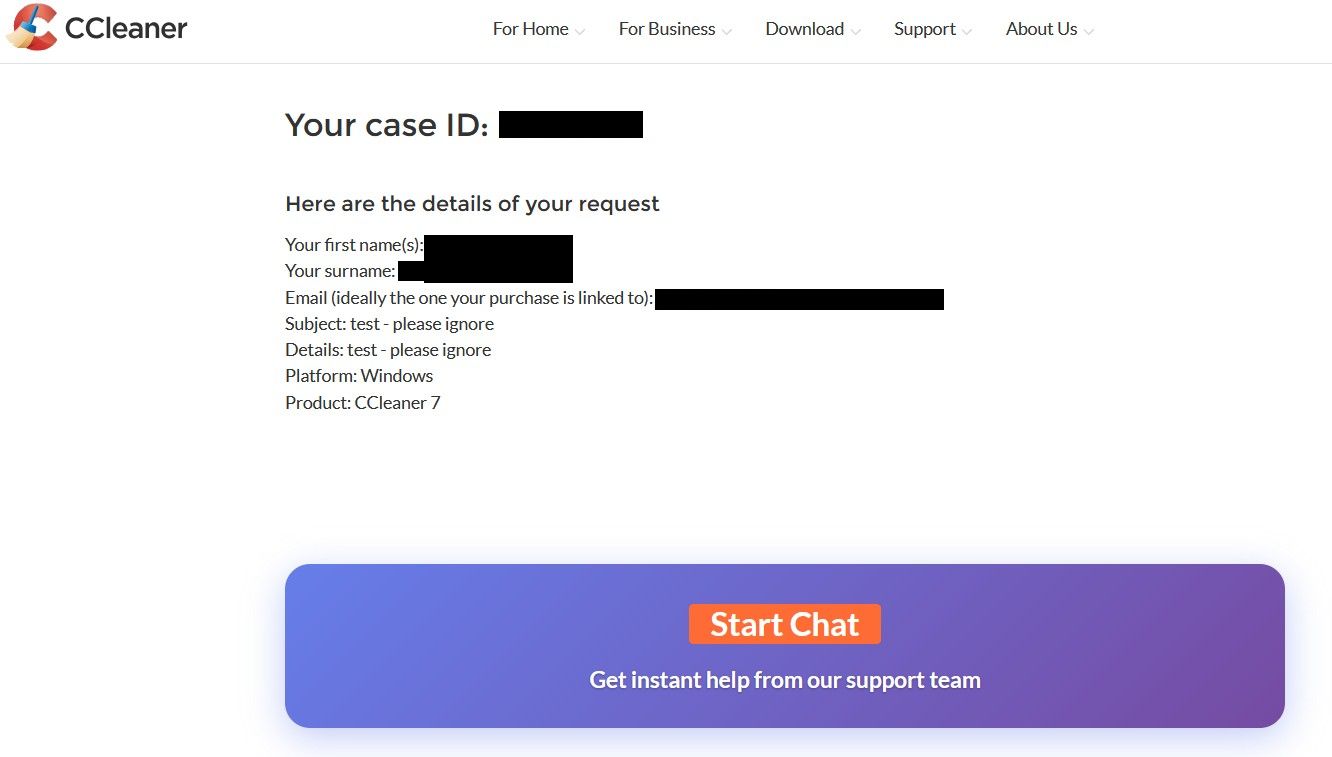
Once you submit the form you will be given a support ticket/ID number onscreen, with a summary of your request.
Below that there is a button to go straight into the ‘Live Chat’ where a virtual assistant will try to help you. If the AI can’t help then you will be passed to a real person.
If you don’t want the AI then ask it (twice) to transfer you to a real person, I’ve done it myself and it works.
If you don’t want to use the chat then don’t, someone will email a response to your form.
I entered information in that form and even though it was filled completely, the Submit button remained dimmed.
do you have any browser addons? especially those that block/circumvent/solve robot tests or captcha based addons
I’m not sure that answers my question especially as it’s showing for this site not support.ccleaner.com
old but maybe helpful
Following the above link you sent re If Safari on Mac doesn’t open a webpage or isn’t working as expected, I did Test with a private window and found the reCAPTCHAs worked properly in a private window. In Safari > Preferences > Privacy > Manage Website Data I removed the website data there for these websites and the reCAPTCHAs now work as they should.
Thank you so much.
Amazing! I just went to the contact form on support.ccleaner.com and the Submit button changed from gray to green! (I didn’t change any settings.)
at first you’ll get a bot if it doesn’t help tell it you want a human a couple of times, seems to work. glad it worked as there are few (i think i saw one) people who use the mac app and are on the forum
This is a BS number.

