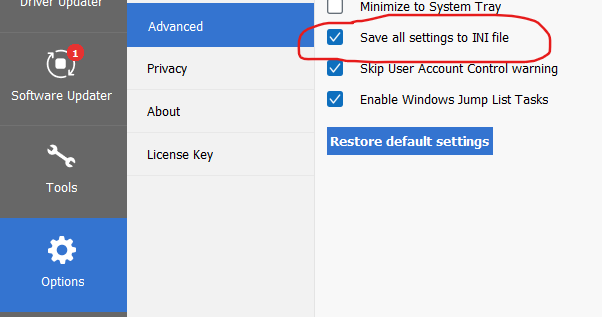
Thanks, let me have a play about with those particular settings (I usually have them disabled).
However those two settings are related to your doing updates using Ninite.
That’s because as well as being option there in CCleaner they are also pre-ticked options in the installer. YOU are not seeing those pre-ticked options because of Ninite using the /S switch.
So when Ninite does the ‘silent’ install then it always switches them on again, and because it’s ‘silent’ then you don’t get an option to untick them and prevent it from doing so:
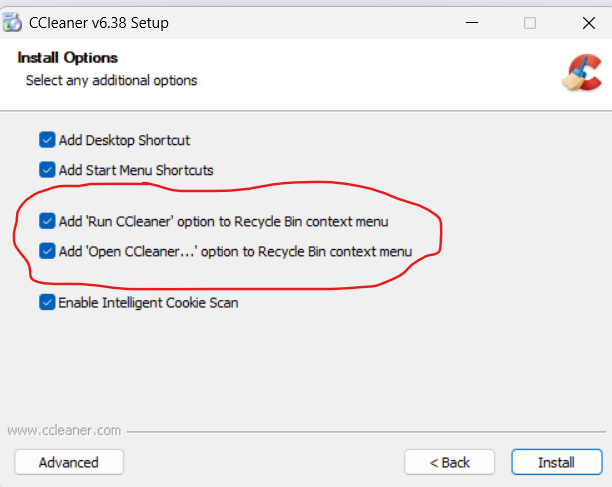
I know that isn’t quite what you are describing though, ie that they retick themselves if you change screens, so I’ll look into that when I get a chance - but be aware that using the Ninite wilh a silent install is always going to turn them on.
(However if you do have a ccleaner.ini then that can turn them off again for you).
I have to reiterate once more what I have been saying all along:
If you enable the option for CCleaner to Save settings to an INI file, and leave it ticked, then none of what you describe would be happening.