As you seem to be having problems with your current install then you might want to uninstall and start afresh - whatever version you currently have, *and from what you say it sounds as if you may have both v6 and v7 installed,*as you can see here it is possible to do that.
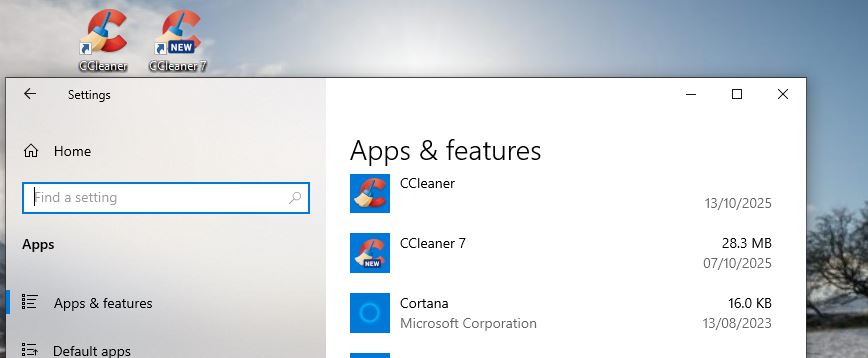
Which version do you want?
You can get either the newest CCleaner v7, or the legacy CCleaner v6.39 versions from here: Download CCleaner builds | CCleaner Portable, Slim, and more
The first one on that page downloads an installer for CCleaner v7.
After installing it go to Settings>My Subscription and enter your licence key to register/activate it as Professional.
The second one downloads an installer for CCleaner v6.39.
For roll back instructions, including stopping it updating to v7 again, click this: How to Roll Back from v7 to v6.39
PS.
All customers can now access a ‘Live Chat’ support service.
To start raise a support ticket by using this: Contact Form.
Once you submit the form you will be given a support ticket/ID number onscreen, with a summary of your request.
Below that is the button to go straight into the ‘Live Chat’ where a virtual assistant will try to help you. If the AI can’t help then you will be passed to a real person.
Note - We have been told that you HAVE TO engage with the chat or you may not get a reply to your request form. (Seems an oddity to me, but that is what we have been told).