I recently bought CCleanerPro 6 and loaded and used without problems. After a week I got a CCleaner 7 update notice that I could not avoid. The CCleaner 7 program overrode my Pro program to my frustration, eliminating the features I bought Pro 6 for. I deleated CCleaner in my program and apps files with Revo Uninstaller and reloaded the download I was sent with my Pro6 purchase. Everything ran well again until I closed it. When I hit the screen icon that loaded with the second install - really the third - I got CCleaner 7 back again. Any similar experiences or help suggestions.
1 Like
Disable automatic updates.
Uninstall 7 again, then reinstall v6.39, the latest “safe” version, but DO NOT run the program.
First create a new rule in Windows Defender Firewall. Block C:program files\CCleaner\CCleaner.exe. Create a second rule to block C:program files\CClener\CCleaner64.exe. Also delete CCUpdate.exe in the same folder.
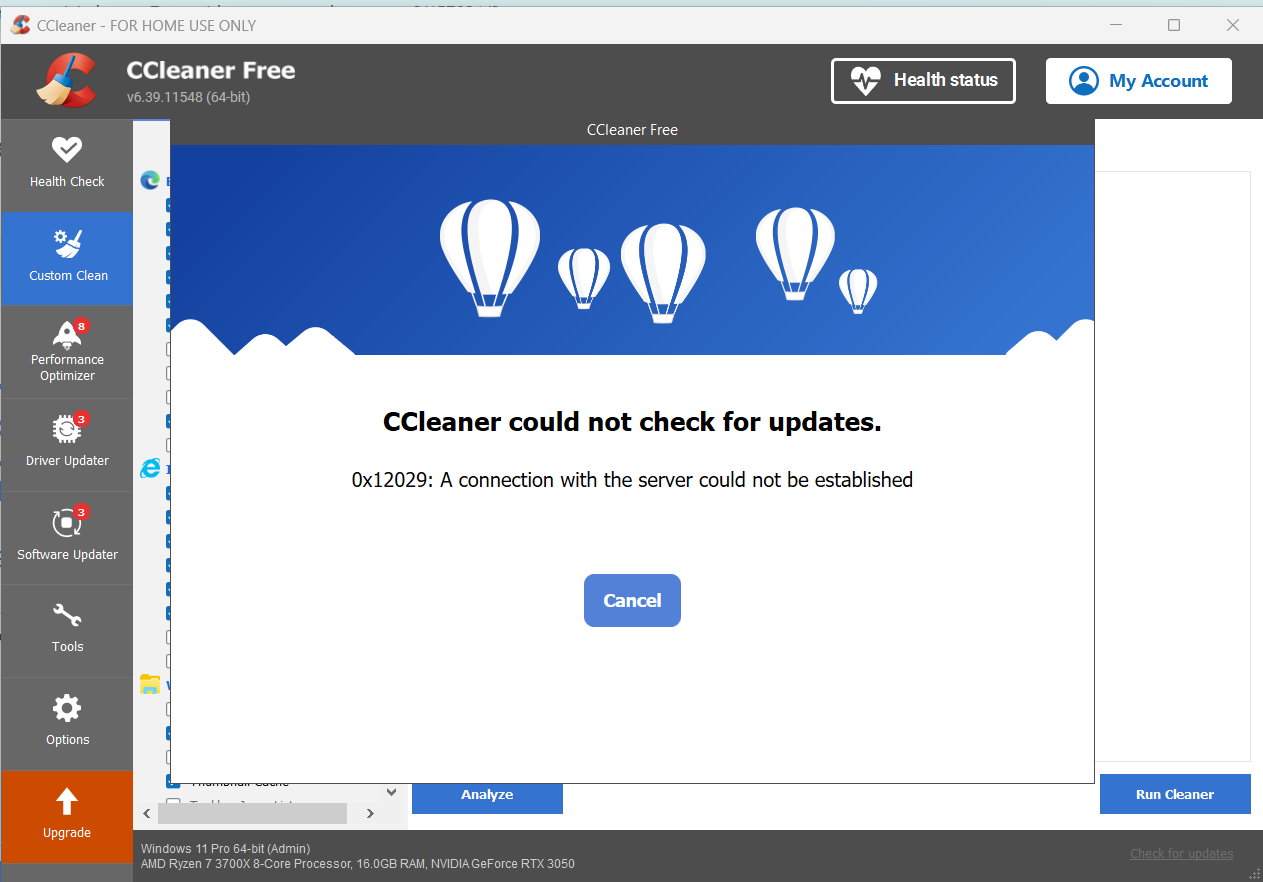
Disable CCleaner in Windows task scheduler too. If you just block automatic updates in the program, it will force an update after 1 year.
Then you will get this, even if you try to check for updates:
1 Like
WilliamZX11, Thank you for your help here. I am using Norton’s Firewall and attempting to set new rules - for the first time. What do you mean by deleting CCUpdate “in the same folder”?
The same folder that contains the two exe’s that you created rules for - C:program files\CCleaner - contains CCupdate.exe. Delete that file.
As a side note, why on earth are you using Norton? It’s just more bloatware.