When I select Run As Administrator with CC7, I get the error message: “Microsoft Edge can’t read and write to its data directory: C:\Users\Administrator\AppData\Roaming\CCleaner\EBWebView”
Which Windows version are you running?
Windows 11 x64 with latest update.
I am having same issue did not have this problem on previous version
Are you right clicking the CCleaner 7 icon and selecting 'Run as administrator"?
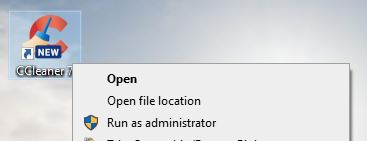
Or are you meaning the Microsoft User Account Control?
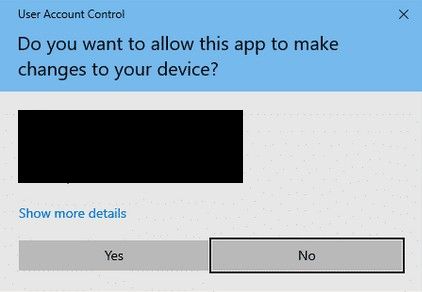
PS you can turn that UAC off in CCleaner Settings:

If it’s the first way then could I ask why?
CCleaner gives itself the permissions it needs, (that’s what the UAC is about), there is no need to use “Run as administrator” for CCleaner.
Yes, I am right clicking the icon and selecting “Run as Administrator”. I do this because I found it made a difference with previous versions of CCleaner. In some cases, a driver or software app would only update if I ran CCleaner as an admin.
Thanks, I wasn’t aware of that issue.
(I don’t let CCleaner update any software and particularly not drivers - I’ve seen too many reports on this very forum of how letting it update drivers can go badly wrong).
Does CCleaner7 open/run OK if you don’t use run as admin?
PS. I just used the right-click “run as administrator” on my Win 10 laptop that has CCleaner 7 installed and activated as Pro - it opened without any problem.
I haven’t installed CCleaner 7 on my Win11 25H2 laptop, and I’m not sure that I want to.
Yes, CCleaner 7 runs okay if I do not run as admin - however, it does not update all of my drivers.
Just having a look around the web the issue may be Windows 11 not CCleaner 7.
There are numerous permission errors reported with the Win11 October updates, as well as with the 25H2 update that is now rolling out.
Note that I did say above that “Run as administrator” works with CCleaner 7 on my Windows 10 machine.