I'm pretty sure that the ability to boot into Puppy means that 1) your BIOS is OK, 2) your motherboard is OK, and 3) your memory is (probably) OK. Guess that points toward the HD as the culprit.
If the only thing wrong with your old computer is the hard drive, one or the other of Hiren's utilities might restore the OS to another hard drive.
The utilities on Hiren's v-14.1 are listed HERE. BurnCDCC is included in the Hiren's zip package. Go ahead and burn Hiren's to a cd. Start BurnCDCC and navigate to the file called "Hiren's.BootCD.14.1.iso" w/out quotes. Read verify the burn.
Take a look at the list, especially "Mini Windows Xp". If you boot into Mini Windows XP, sucessfully, you can get back out of it without changing anything if need be.
I just burned it to a cd here, am going to sign off and restart with the Hirens cd. Not sure if that will work, will know in a few minutes. Be right back.
Edit: OK, that worked, am on here now using Opera browser included in Hiren's. I'm in way over my head, have never used these utilities. Wouldn't even try this except on my own equipment, but the way you describe your situation you have little to lose, soooo, am checking into the utilities now.
With your parents not being too knowledgeable about computers, can we assume that "System Restore" would have been active and running before this glitch?
That's also assuming you didn't turn it off at any stage.
If the answers yes, I can probably help you get that computer restored to a date before whatever happened, happened.
All you would need is access to a CDROM drive, and hope that the hardware is actually OK, and this is a software glitch.
Firstly, sorry for the late entry into this thread, but I usually suggest my "Rescue CD" as a last resort if all else fails. So Logins hard work and suggestion to use Checkdisk is definitely worth trying first as it may make my suggestion totally unnecessary.
I posted so "oh boy" would know there's another option in case Checkdisk didn't help, to make sure he came back to the thread.
Secondly, and I think I already know the answer to this one ... Is it possible to download an ISO containing the NTFS file system, and then burn it to CD as an "Image" with a Mac, to use on a Windows computer.
Yea, a stupid question, and I believe it can't be done, but as I've never done it, I thought I would ask.
I'm also a little late on responding to this thread too
From the description it does sound like a problem with the file system so I would agree with login123 you should burn and boot Hiren's Boot CD into "Mini XP" mode.
Once at the desktop open a DOS Prompt: Start, Run, cmd.exe
and enter: chkdsk.exe c: /f
If XP still doesn't boot normally then try: chkdsk.exe c: /r
@Dennis an ISO is an ISO it doesn't contain an NTFS file system it could however contain a file which itself an image file i.e. VHD, VDI, RAW etc.
If all you're doing is downloading a ISO file and burning a CD using a Mac then I don't see this being a problem.
When you burn an ISO to a CD as an "Image", the ISO isn't burned to the disk as an ISO.
All the files are extracted and then burned, and the disk made bootable in the process. This ISO contains a mini Windows, and is I believe in NTFS form.
This is what the CD looks like after the ISO is burned as an "Image" ...
A Mac won't write these types of file/folders to CD surely.
If I'm wrong I'll be happy, as it makes it easy for the OP to burn this Rescue CD using his Mac.
This CD, after booting, attaches itself to the Windows Installation, and because of that, can run System Restore on that computer via a very easy "Wizard", which as far as I can tell is otherwise impossible if you can't even get to Safe Mode.
XP's Recovery Console can't run System Restore, and I haven't found a live CD which can do this either.
EDIT: I appreciate the link and input Alan, but it doesn't say it will burn the ISO into something Windows will run.
Again, I'd love to be wrong, so maybe "oh boy" could try it at the cost of 1 blank CD.
There's no such thing as FAT32, NTFS, EXT3, or HPS+ with regards to the CD file system because it was designed to be cross-platform compatible. Wikipedia - http://en.wikipedia.org/wiki/ISO_9660
ISO 9660, also referred to as CDFS (Compact Disc File System) by some hardware and software providers, is a file system standard published by the International Organisation for Standardisation (ISO) for optical disc media. It aims at supporting different computer operating systems such as Windows, classic Mac OS, and Unix-like systems, so that data may be exchanged.
If you have an ISO file that needs burning to CD then burn it using a Mac (as "image" not as file) which should be no different than burning the same image with a PC or Linux machine.
>>Whew<< Boy am I glad to see you guys. It's like the calvary has arrived. I think checkdisk will work if the HD is OK, but several heads are better than one. (but hats will cost more)
I suggested Hiren's and chkdsk 'cause they are free and (fairly) easy, and if that works it's the most efficient.
And I ran Hiren's and chkdsk here and chkdsk worked.
Plus, that's what redhawk always says.
That Hiren's v- 14.1 is worth its weight in gold. Has a ton of apps on it. Including some tools that will format the disk to NTFS, but oh boy is maybe not ready for that yet? Just asking.
I'm gonna sign off and get back on w/ Hiren's disk so I can explore a bit if you guys have suggestions. Will be working without a net, tho, cause Powershadow will be off.
If you have an ISO file that needs burning to CD then burn it using a Mac (as "image" not as file) which should be no different than burning the same image with a PC or Linux machine.
Richard S.
That really surprises me, but I'm happy to be contradicted in this case.
If checkdisk doesn't do it, then he can now try the System Restore and use his Mac to make the CD. Or in fact, use Puppy if it has Image burning software installed.
Login, the cavalry isn't coming yet, but we're just over the hill waiting.
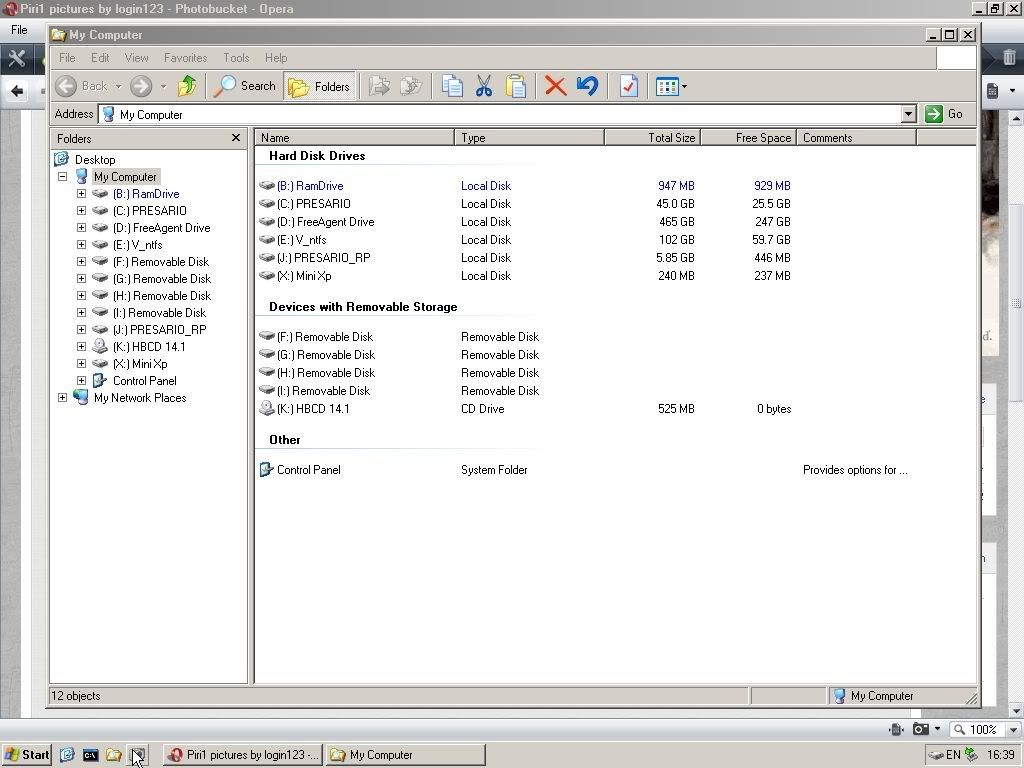
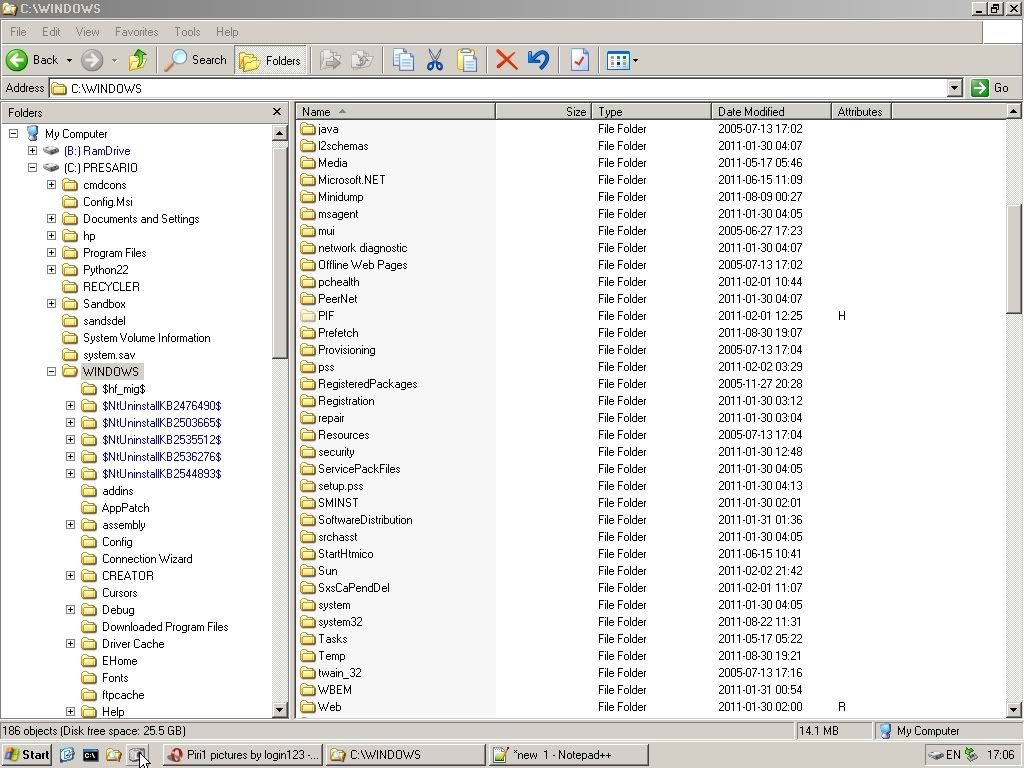
Fwiw, here is a scr shot of windows explorer running in Mini XP. Will post more later if oh boy isn't fixed by then and if they are needed, but right now duty calls.
Btw, screenshots are a pain in Mini XP, Flash will not install, so getting the forum code is a clumsy.