Hi @devangelou,
After investigation of this issue, it was most likely caused by Firefox being closed while writing to its Library, and this causes it to create a new profile.
Your bookmarks were not lost, you are using a different profile.
Please could you launch Firefox and enter the location below into the address bar:
about:profiles
Which should look like the page below.
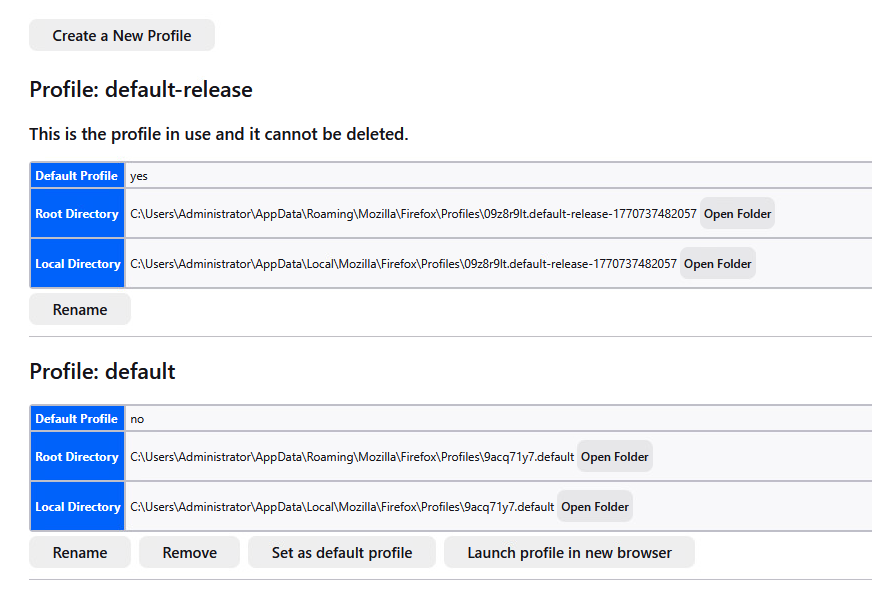
Then, find the Profile: default and select Launch profile in new browser.
This should launch a new window and have your old bookmarks loaded.
Please let me know if this does not restore your bookmarks.
